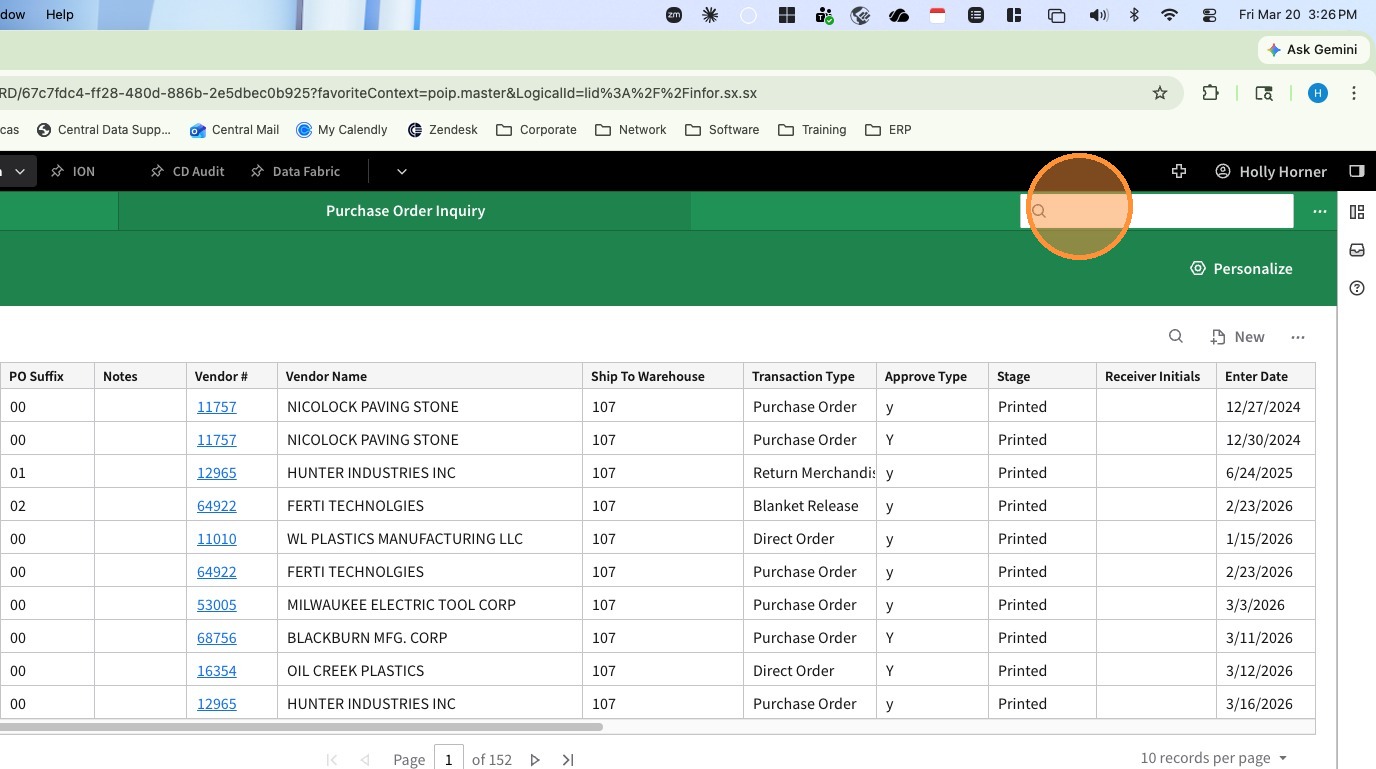
1. Click in the Navigation Search Bar
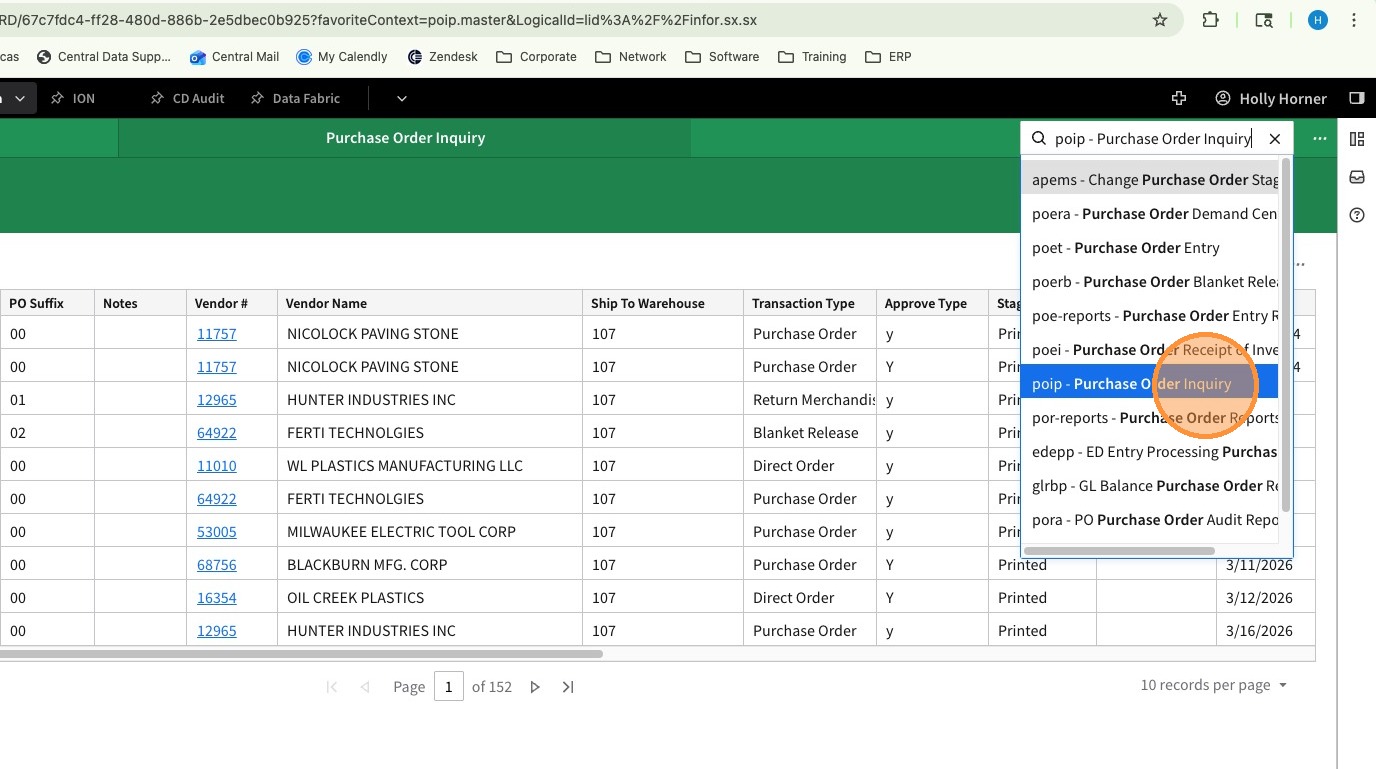
2. Search for Purchase Order Inquiry (POIP)
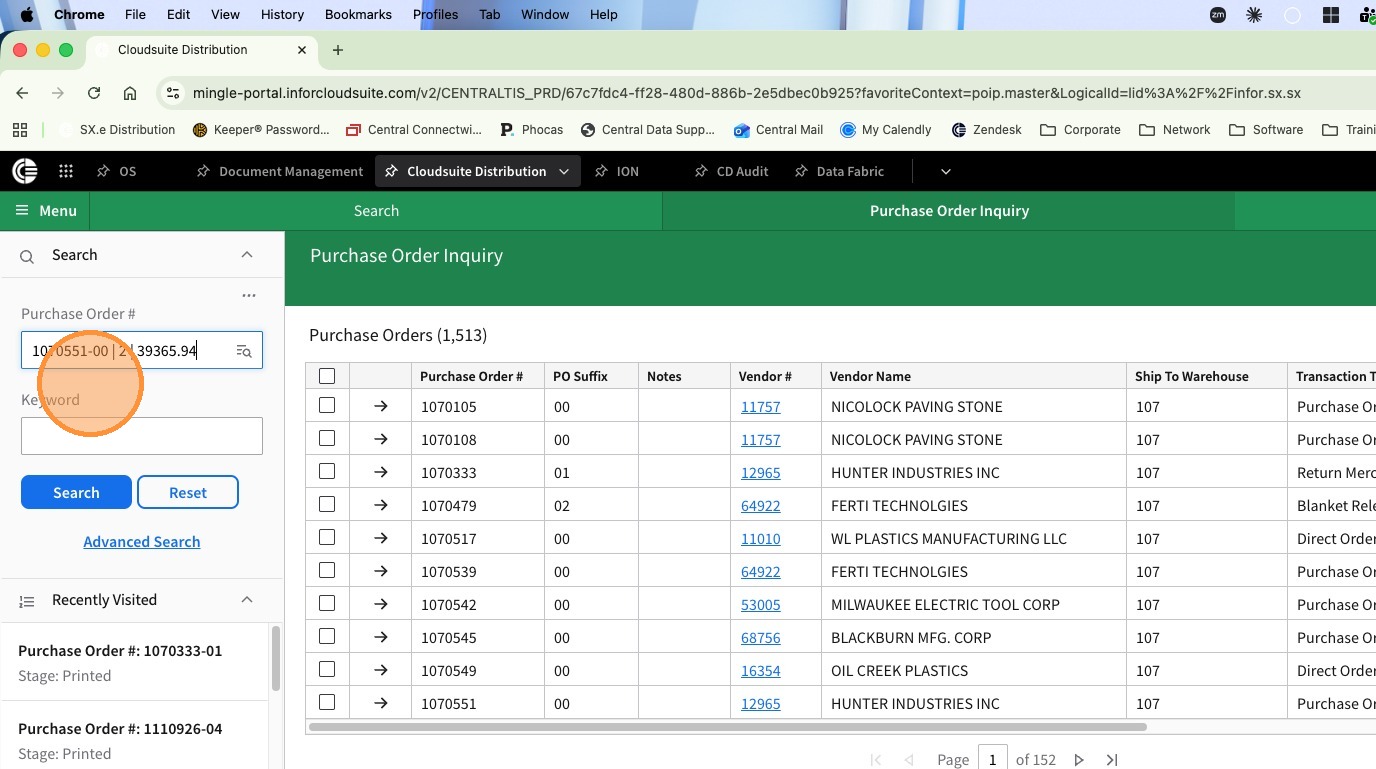
3. In the Purchase Order Number Box search for the PO Number with the discrepancy.
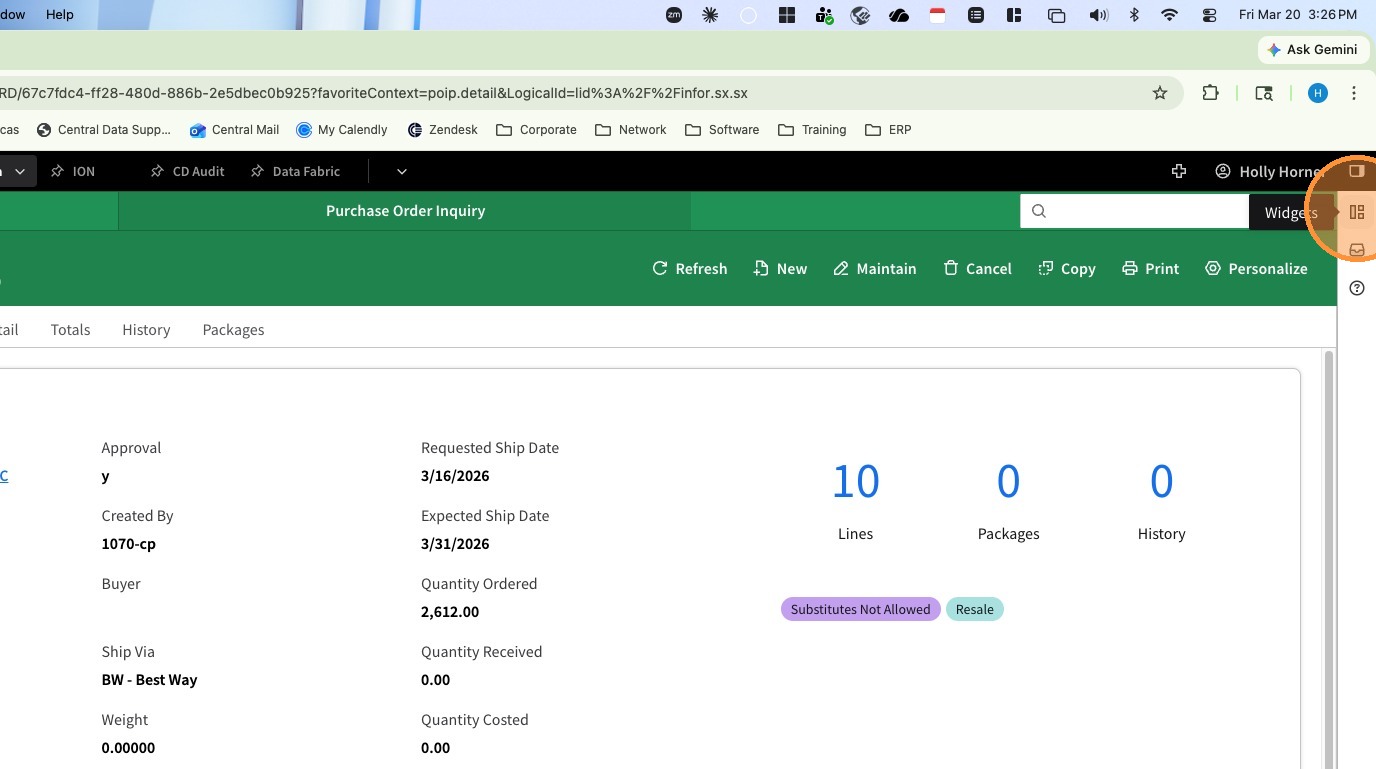
4. Open the Widgets Panel
5. Find the file you created with the Discrepancy Form.
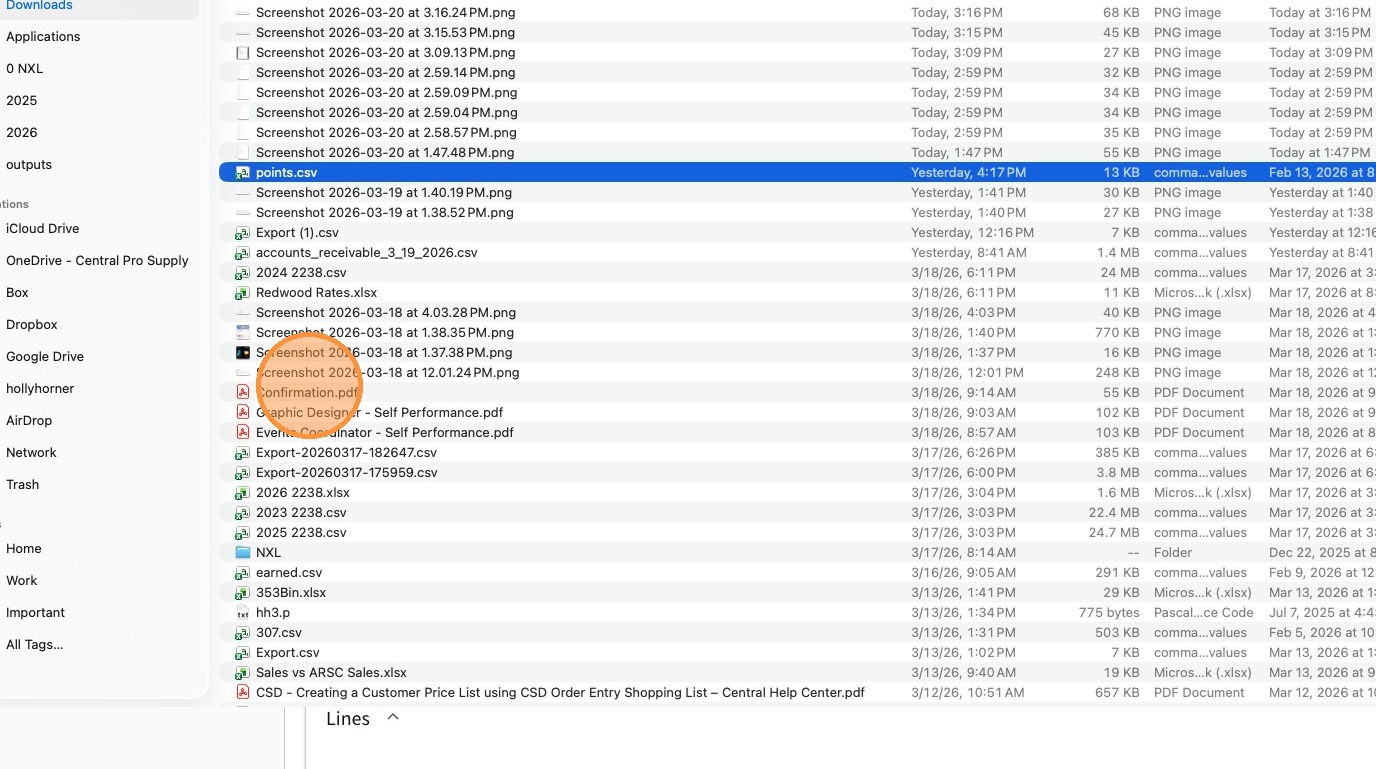
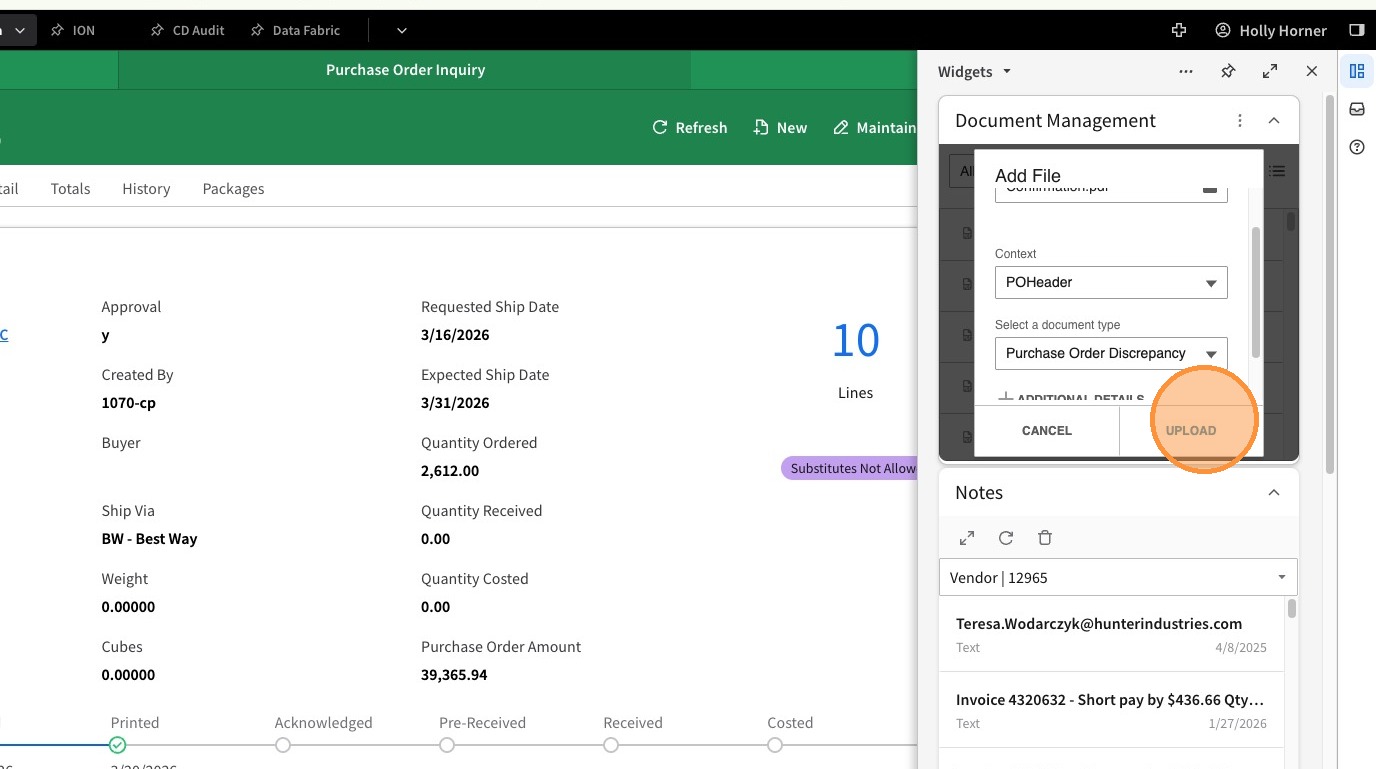
6. Drag the file to the Document Management Widget.
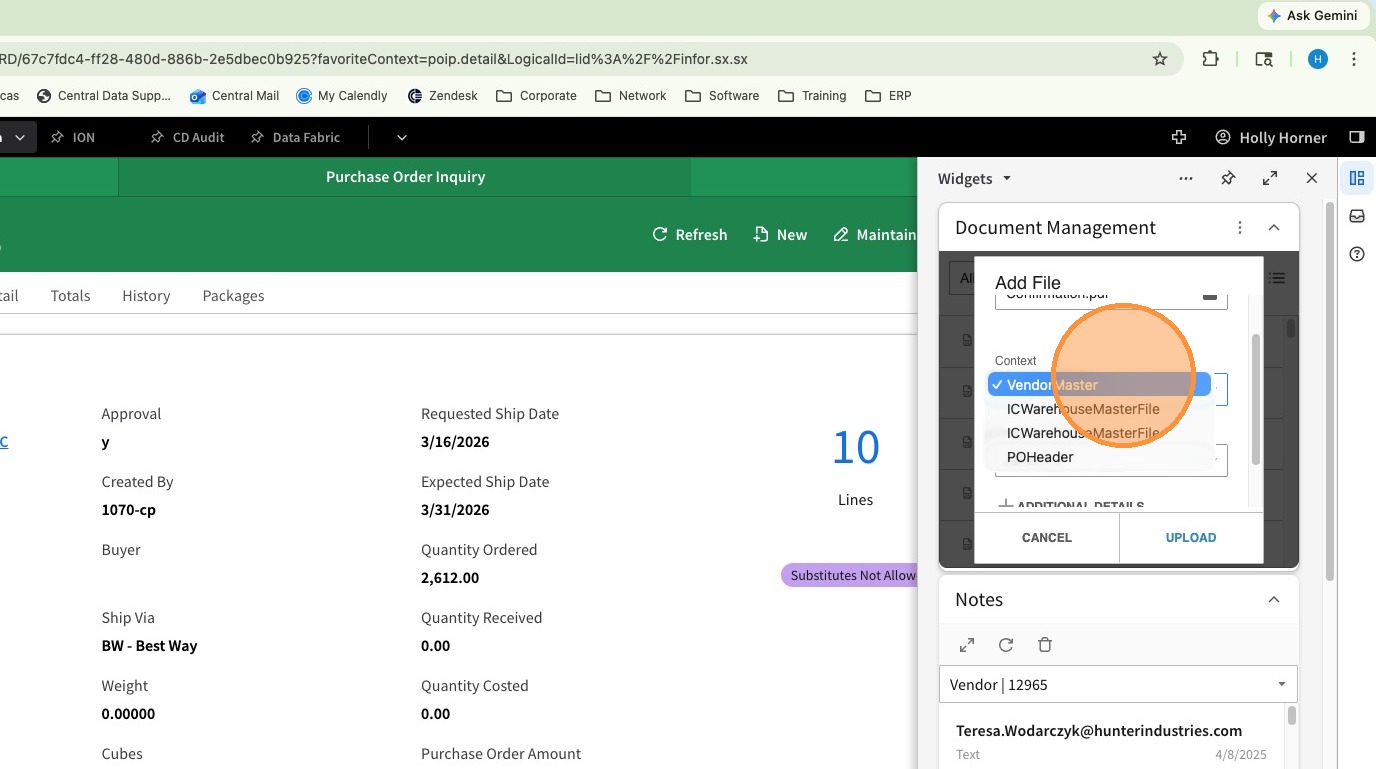
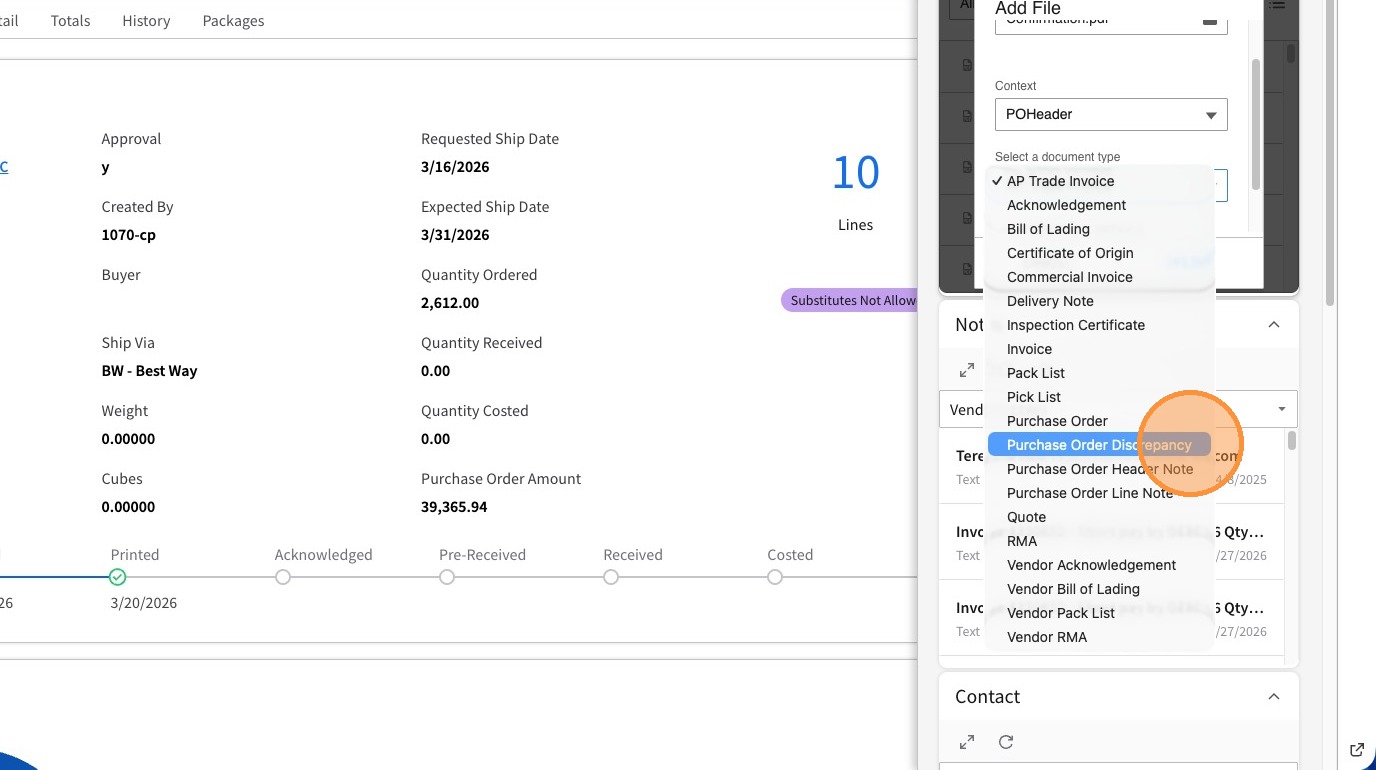
7. In the First Context Drop Down Select PO Header
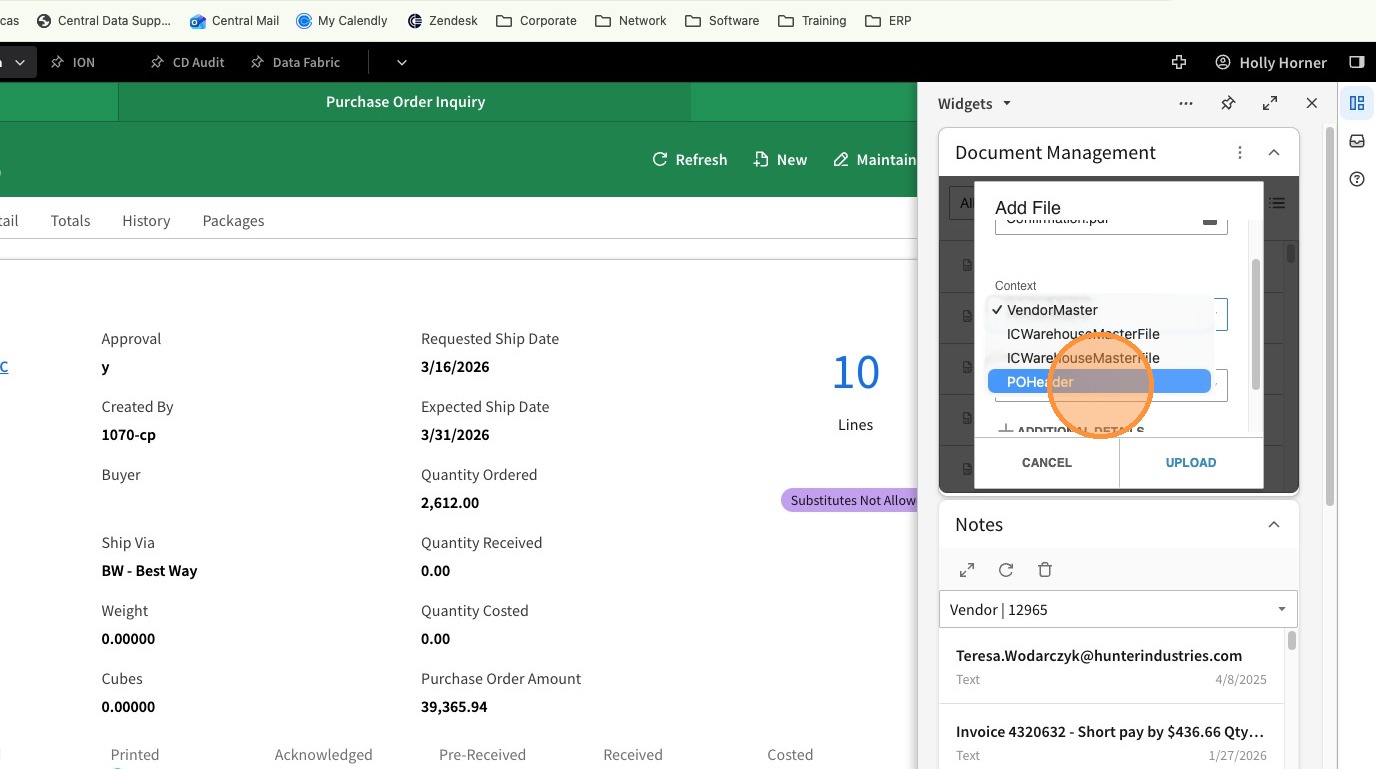
8. In the Second Context Drop Down select Purchase Order Discrepancy.
9. Click Upload