Video Link
1. In the Navigation Search bar enter POERA - Purchase Order Replenishment Center

2. Enter the Buyer

3. Click Search

4. Click the Arrow to open the Report

5. Click the Arrow for the desired item

6. Under Tied Order - Blanket Order PO# will show if a Blanket PO exists. A release MUST be made on the Blanket Order First.

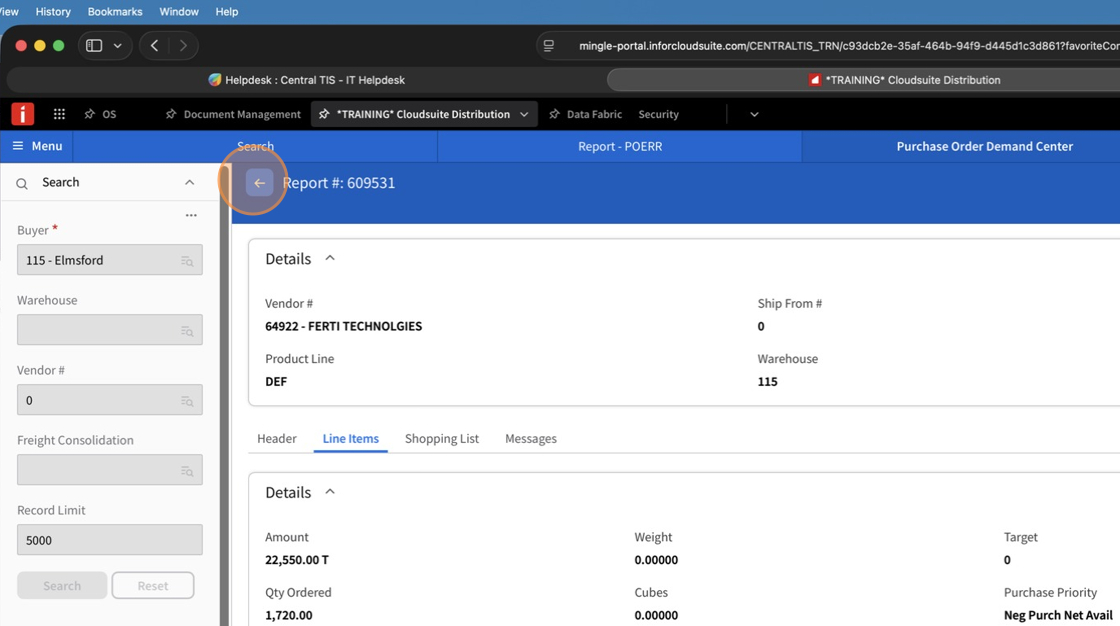
7. Click the Arrow to exit the item

8. Select Accept on the line to convert the Blanket Release for that Item. The Blanket Release MUST be created before merging the vendor in POERA.

9. If there is no Blanket Order for the item, nothing will appear in Tied Order. If a quantity is accepted on the Document, a Purchase Order will be created for the item. It will NOT be added to the Blanket Release. The vendor should be instructed to ship the Purchase Order along with the Blanket Release. Both documents are SEPARATE documents for us and both must be received and costed as separate documents.

10. If a Blanket Order exists and the Release is not created PRIOR to Merging the Document in Demand Center, the item will be added to a Purchase Order and will NOT reduce quantities on the Blanket Order.

11. Select your lines to Accept/Merge

12. Click Set Accept Type On

13. Close out of the Document
14. Select the Document to Merge

15. Click Set Merge Flag On

16. Click Merge

17. Make sure Convert Purchase Orders is selected

18. Click Run
