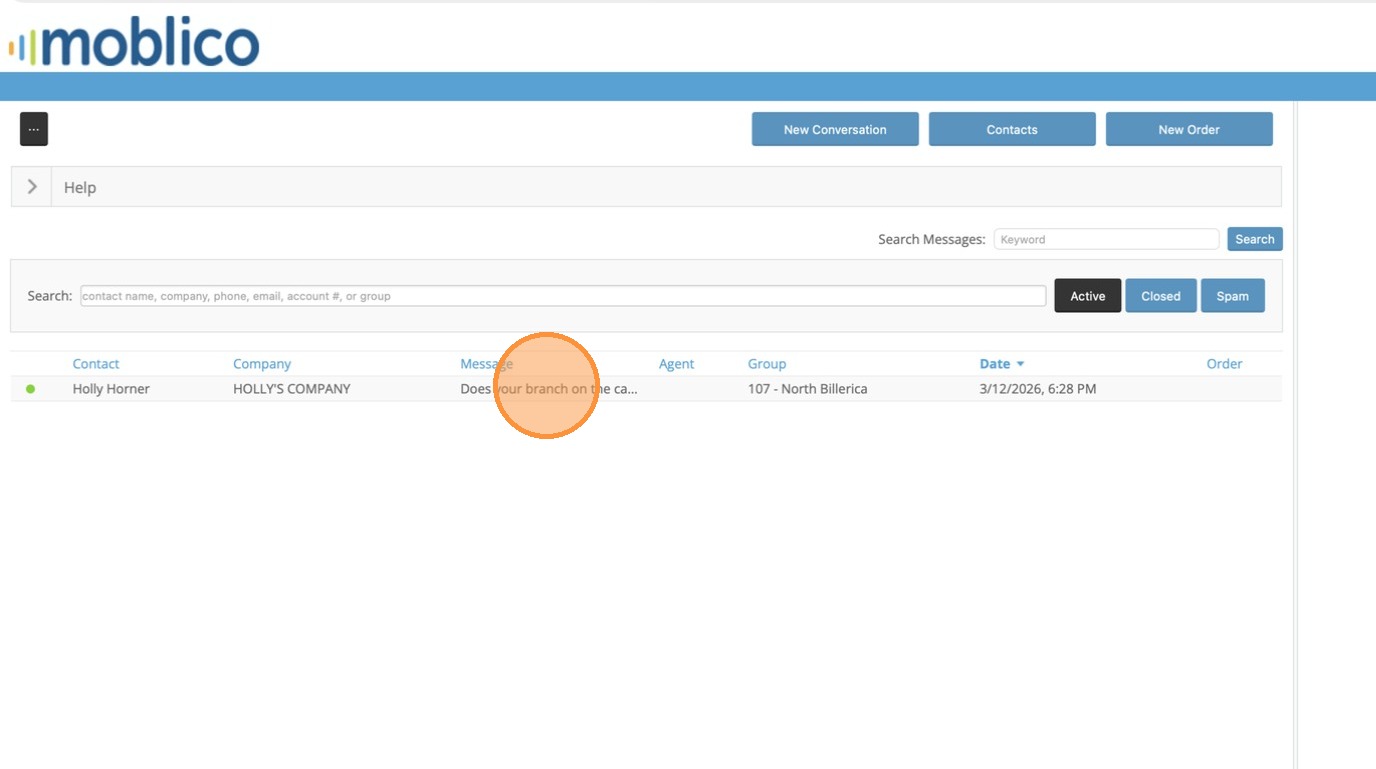
1. In the case that a customer is looking for something in another branch, you can move the text to the other branch to answer the question or help the customer. This can be transferred to any Moblico 'Agent' user. Click on the Message to Open.
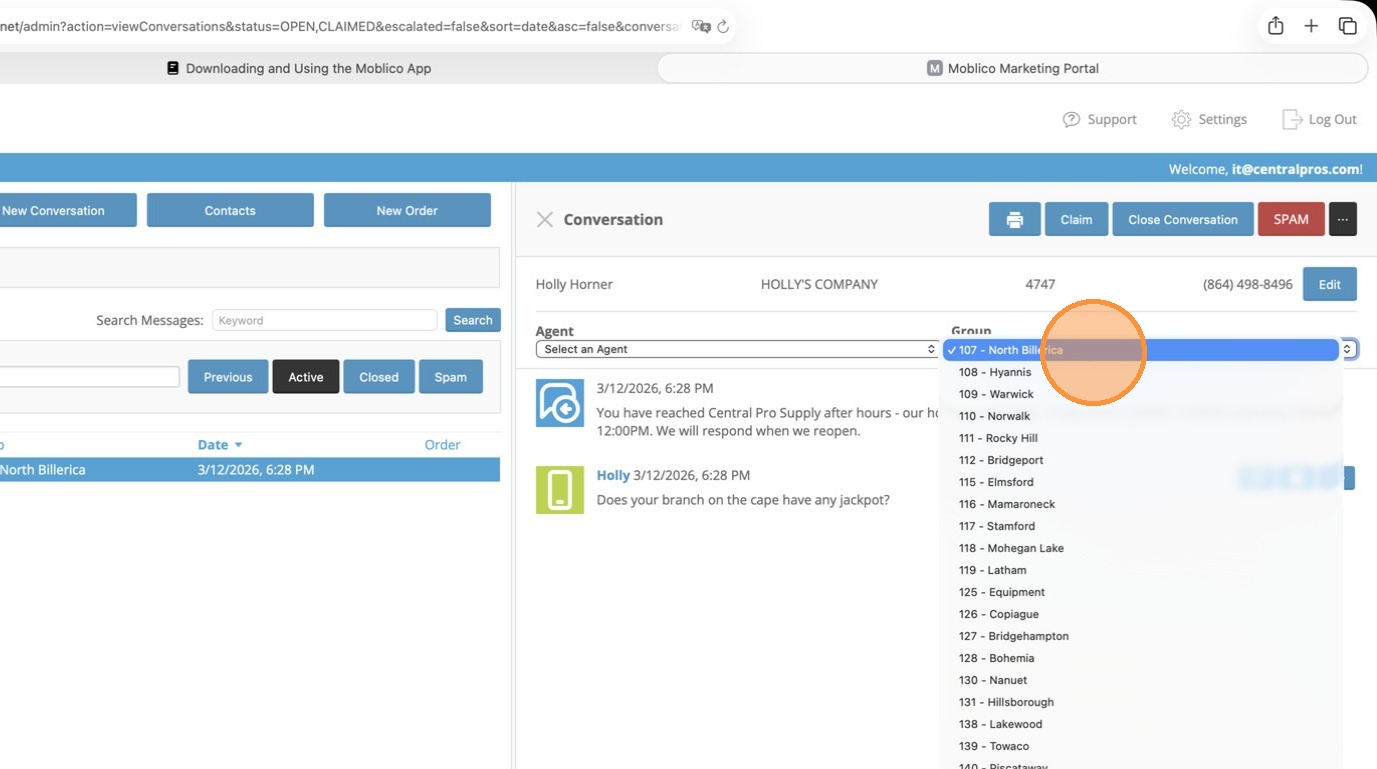
2. From the Group Drop Down choose the Branch you want to move it to.
3. You can click the X on the Conversation pane to close the message out. The other branch will pick it up.
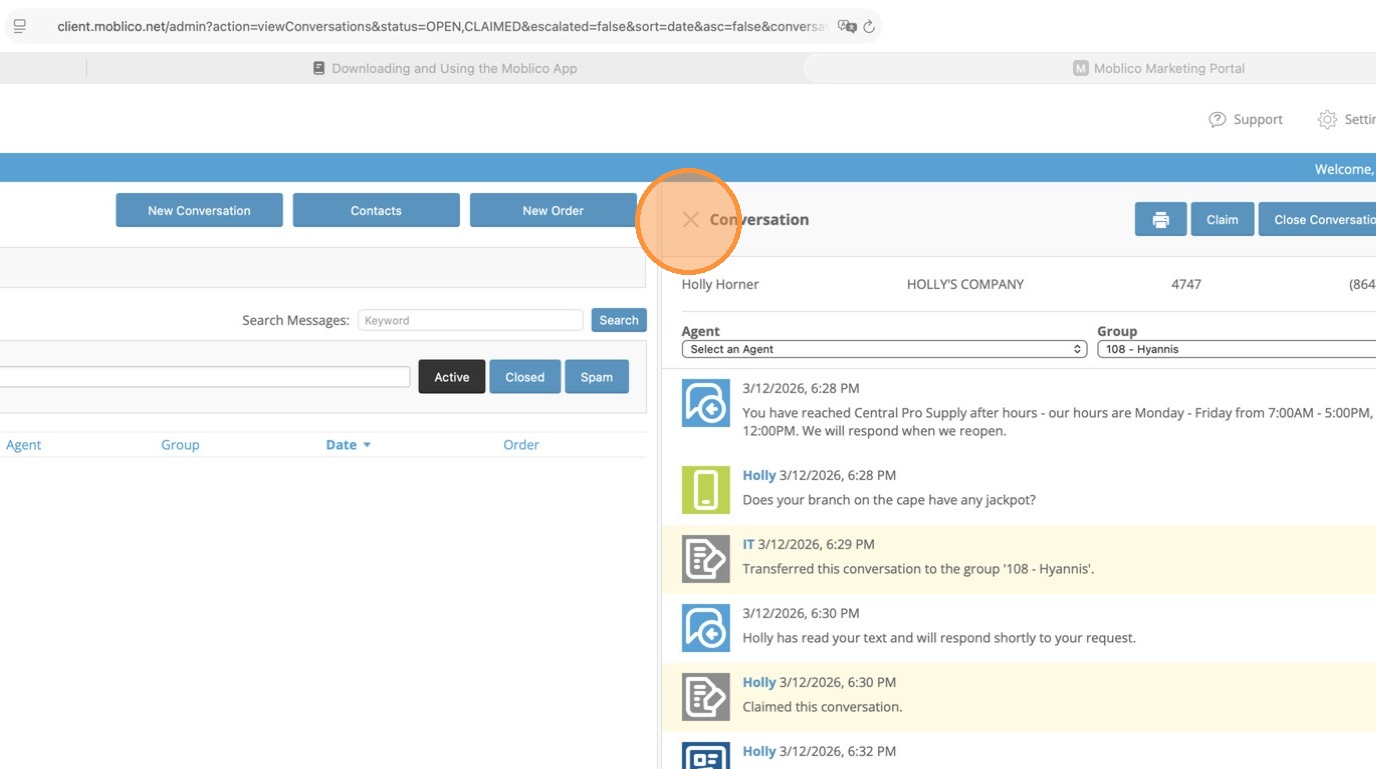
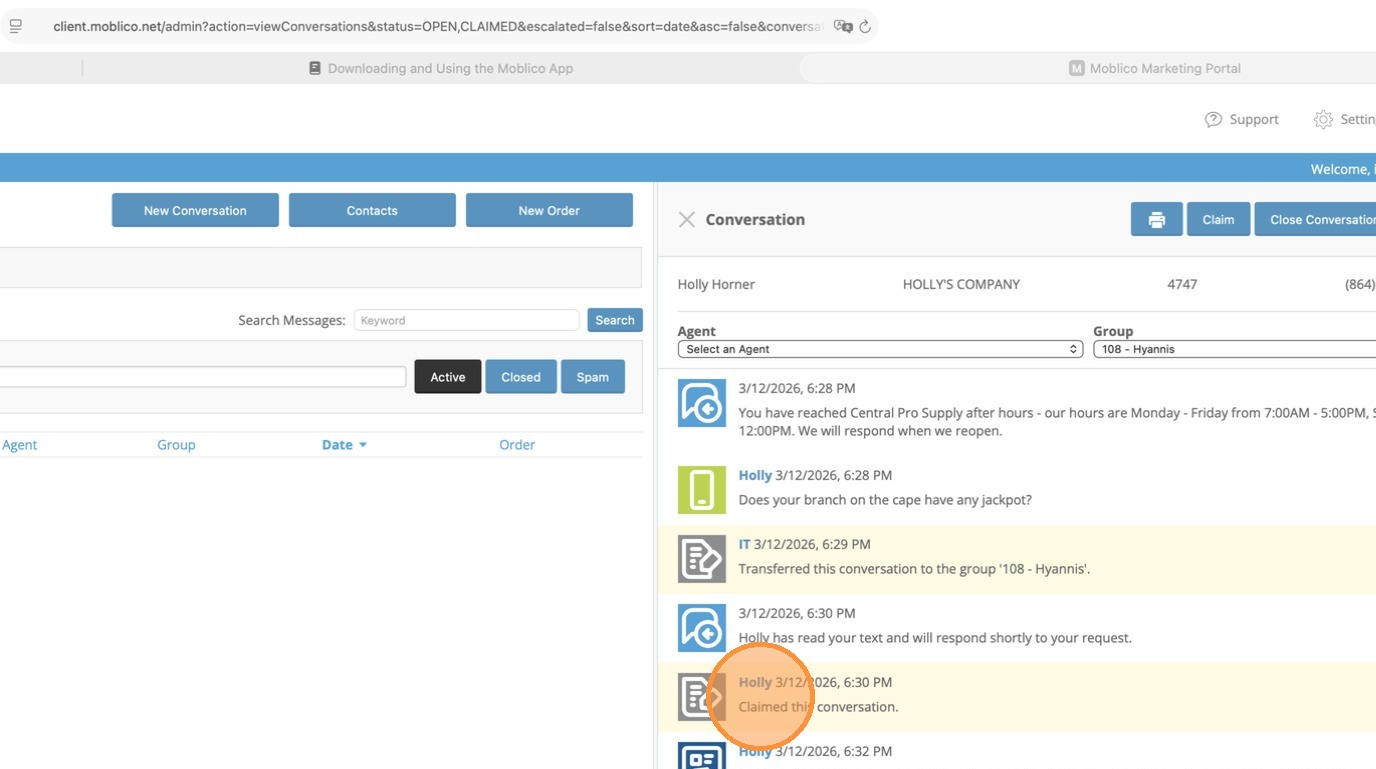
4. You can see in the Conversation that the other branch picked it up.
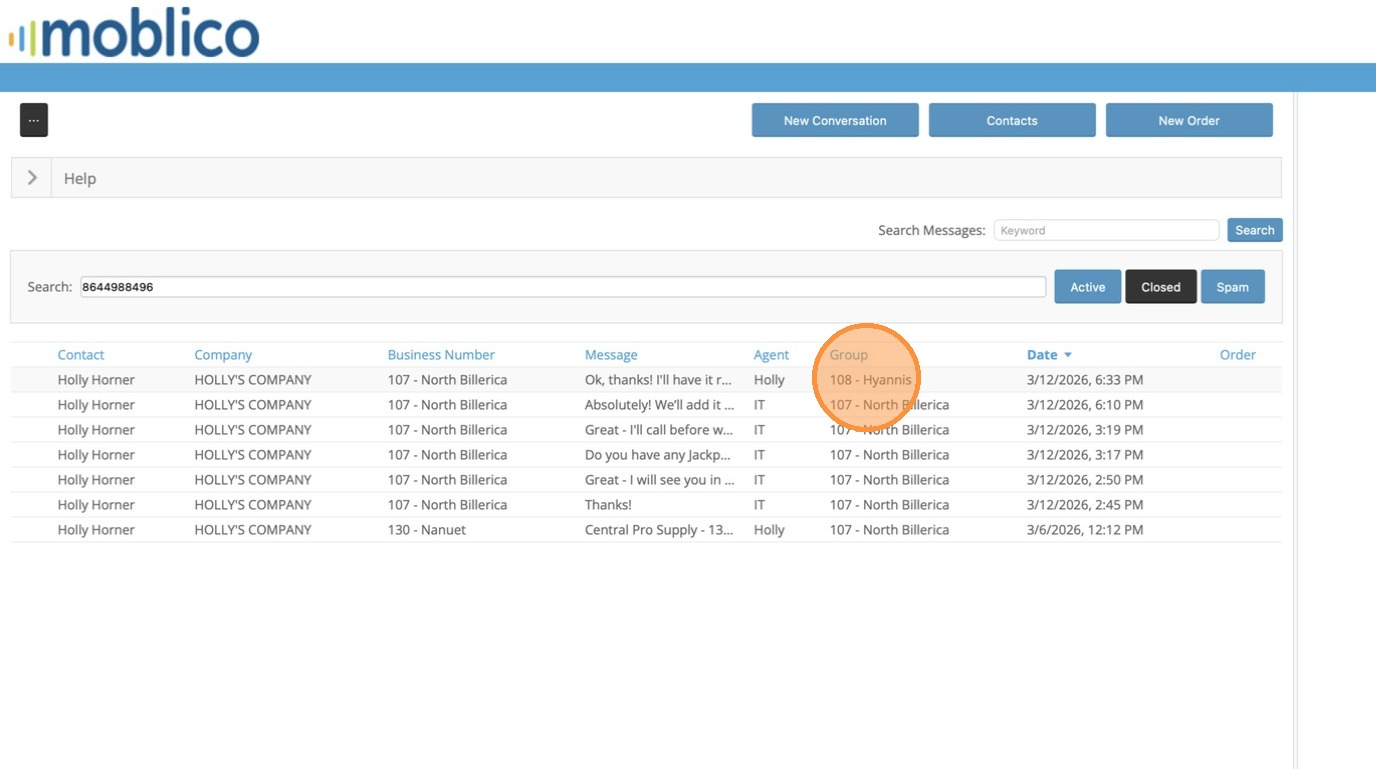
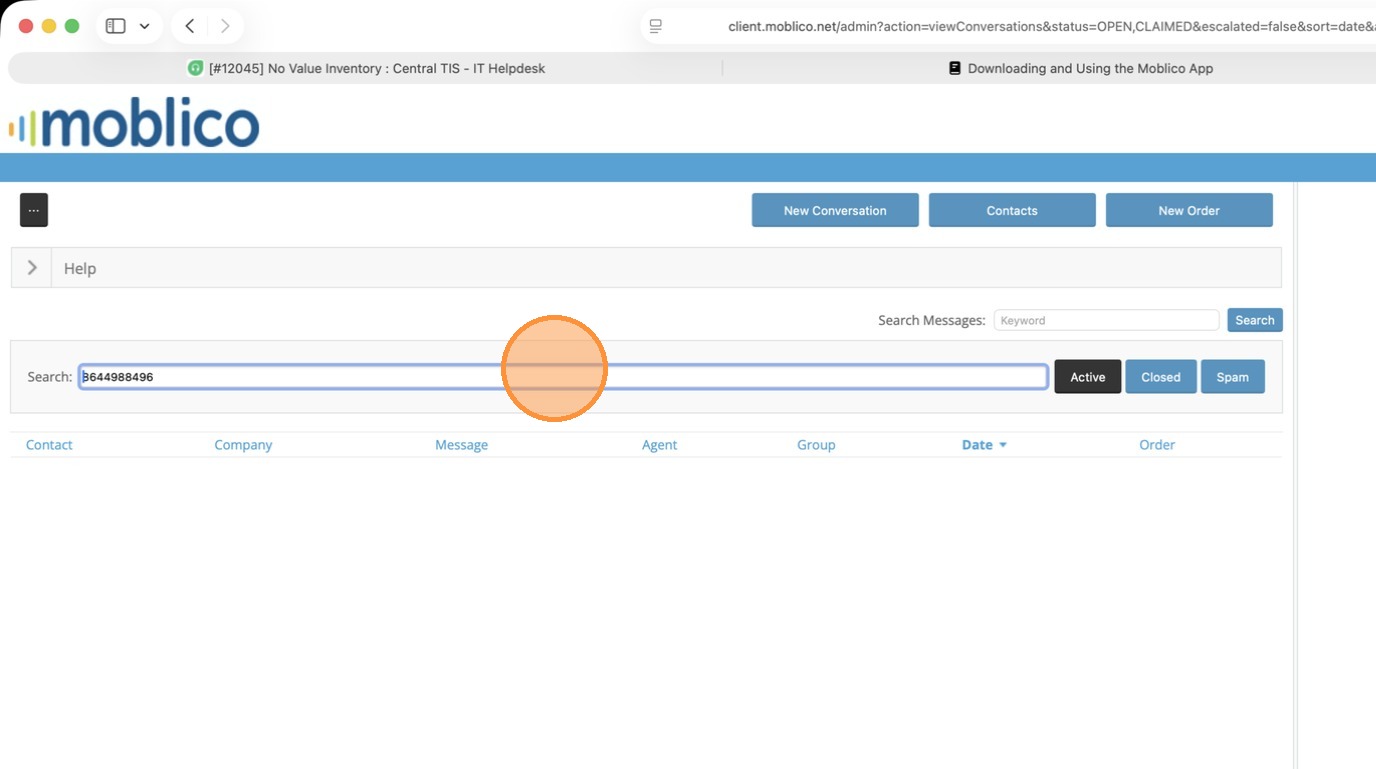
5. If you wanted to check the outcome of the conversation, you can use the search to search the customer's phone number or customer number.
6. Click Closed to find the closed conversations. All conversations with that customer will show.
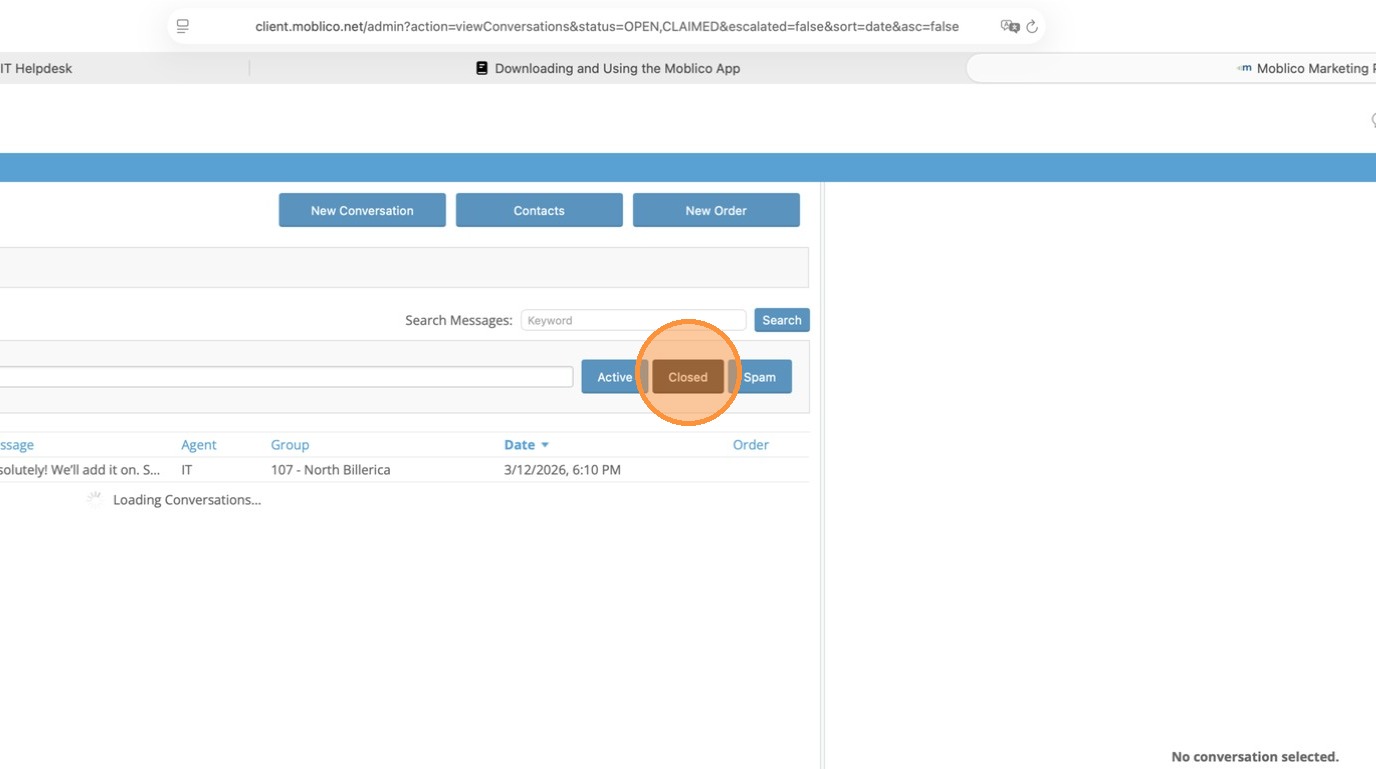
7. The one that was transferred will show under the other branch's group. You can click on it to read the end result.