1. Access Bectran at bectran.com in your browser

2. Enter your userID (email) and password

Tip: Central Pro Supply contains the regular credit application, Golf credit application and municipal credit application.
Central Pro Supply. contains the Canada credit application and any future US applications will be in that business group.
3. Click "Reports" in the side panel to run any in progress reports.

4. Click "Incomplete Credit Applications"

5. Select the Number of Days Old you are looking for.

6. Click "Prepare Report"

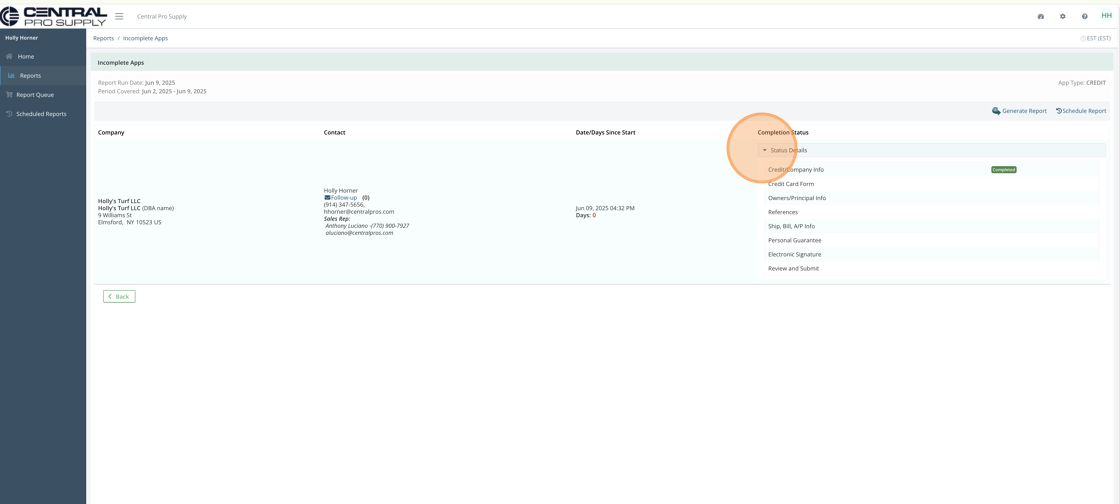
7. You'll see the Report Information and if you click the Status Details you'll be able to see which page they stopped on. In this case, only the first page of the application was completed.